

Canva alternatives do different jobs. Adobe Express is the closest match for everyday marketing. VistaCreate and Desygner also handle a range of design work. Figma, Pixlr, Kittl, Visme, Affinity, Snappa, and Microsoft Designer each focus on a narrower task. Some may not replace Canva on their own.
This guide compares Canva alternatives by the free features and limits that matter for each task. It also explains what paid plans add and which tools serve a specific need. Prices are omitted because they vary by country and change often. Check the plan page before you subscribe.
How to choose among Canva alternatives
An all-purpose design app should cover several tasks: social posts, short videos, presentations, brand assets, and basic photo edits. A specialist app may work better if you mainly design an app interface, retouch photos, make infographics, or prepare files for print. Labeling every specialist a “Canva alternative” can mislead readers. A specialist may not replace Canva for their other work.
- Broad content: Start with Adobe Express, VistaCreate, or Desygner.
- Specialist work: Match Figma to product design, Pixlr to photo editing, Kittl to typography and product graphics, Visme to data-rich content, or Affinity to vector, photo, and page layout.
- Quick AI graphics: Consider Microsoft Designer for personal use or Snappa for prompt-made social graphics. Check their limits first.
FreebieHive Studio – a browser-based design and animation workspace
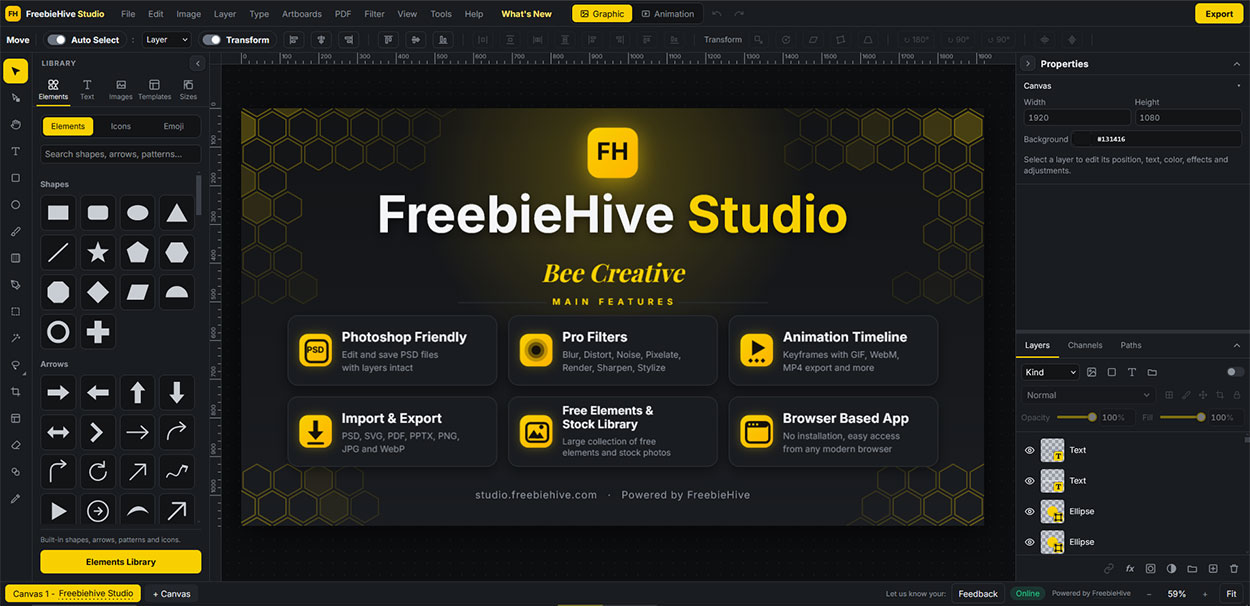
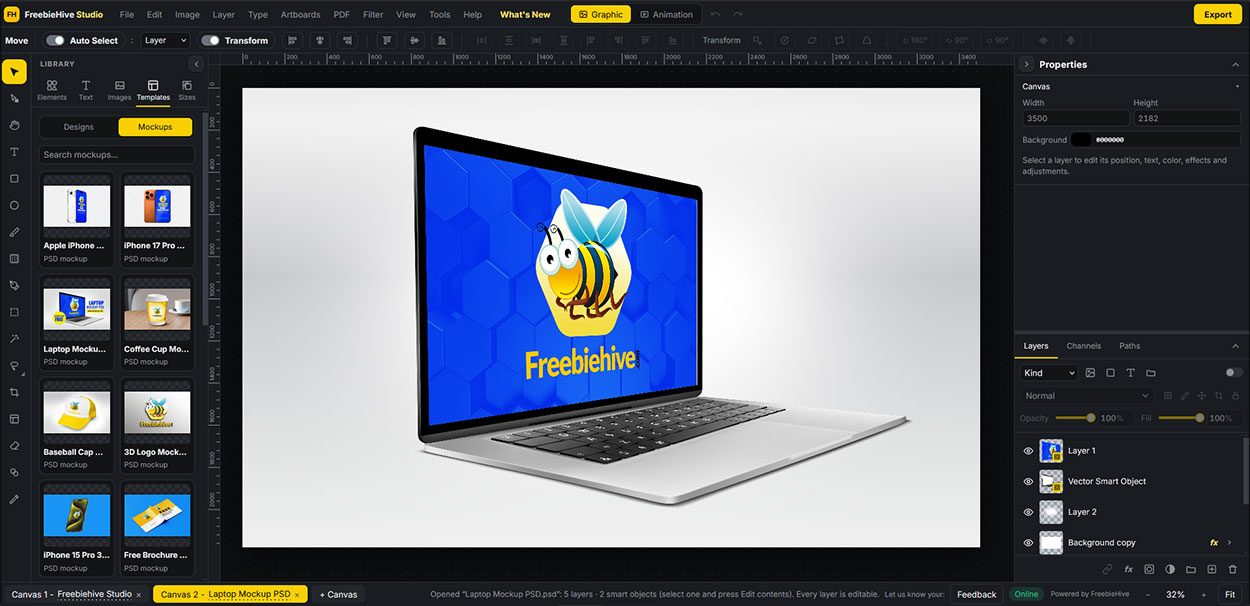
Alongside the ten tools compared below, FreebieHive Studio offers graphic design and photo editing in your browser. You can place text, shapes, and images on separate layers. Add masks, layer styles, filters, and artboards. The app can open and save layered PSD files (Photoshop files), and its AI background remover runs on your device.
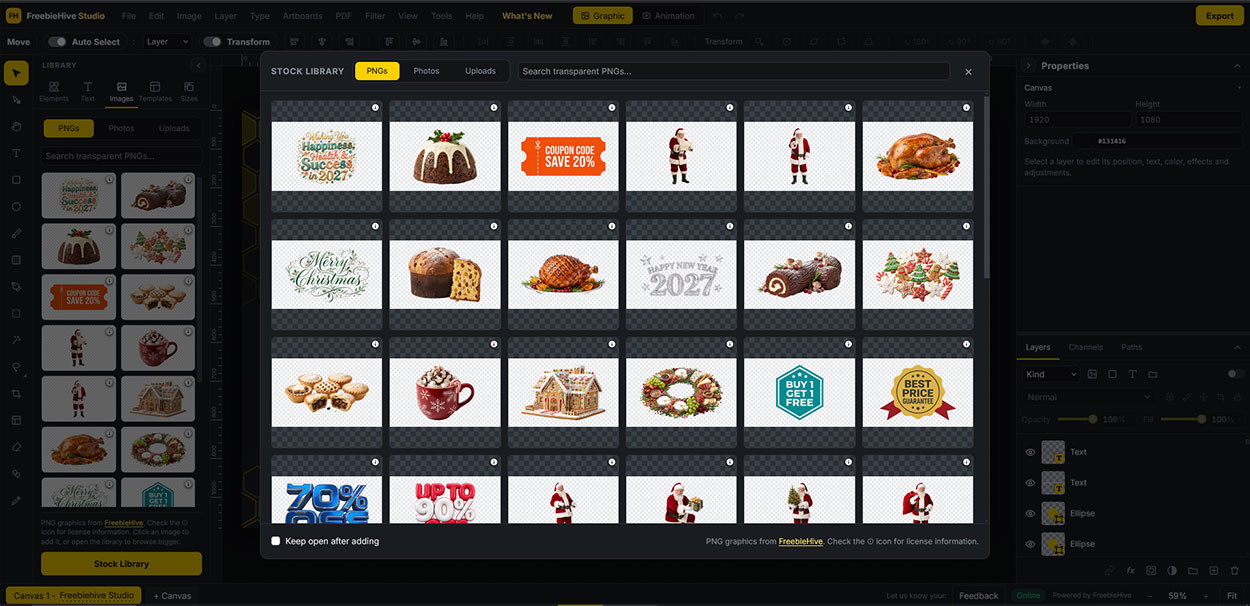
Studio also has a keyframe timeline for animation. You can export GIF, WebM, or MP4 files, and resize or watermark many images at once. You do not need to install software. FreebieHive says Studio saves designs in your browser and does not upload them to its servers. The app works best on computers and large tablets, so phone editing may feel limited. Browse FreebieHive’s free stock images and design resources, open a download in Studio, and customize it.
Three broad Canva alternatives
1. Adobe Express – a broad choice among Canva alternatives
Adobe Express is a strong starting point for social posts, short videos, image edits, presentations, and quick PDF tasks. It also connects to Adobe Stock, Adobe Fonts, and Firefly. Those links help if you already use Adobe apps.
The Free plan gives you standard editing, selected stock and font assets, 5 GB of storage, and scheduling for one account on each social network. Premium adds more assets, Brand Kits, one-click resizing, extra scheduling accounts, video tools, and AI features. Adobe warns that a free Stock asset may become paid without notice. Check its status before you publish.
2. VistaCreate – best social-media design alternative to Canva
VistaCreate Starter is free and does not expire. It includes templates, stock images and videos, editing tools, one Brand Kit, 10 GB of storage, and common image, video, and print downloads. Small businesses can use it to make social posts, ads, product listings, and print pieces.
Pro adds a larger library, unlimited Brand Kits and storage, team access for up to 10 people, version history, a resize tool, and AI features. VistaCreate works well for marketing tasks, but it may not cover every type of project you make in Canva.
3. Desygner (automo designer) – Canva alternative for PDF workflows
Desygner, now branded automo designer, brings design, presentations, documents, and PDF editing into one tool. Its free plan sets limits on apps, projects, storage, AI credits, and team members. Paid plans raise those limits and add automation and team controls.
Its PDF editor lets you change text, images, and page layouts. That can help with business documents. Desygner does not move Canva projects over as editable source files. Its migration guide says to export a PDF from Canva and import that file. You may need to fix some effects after the move.
Specialist alternatives to Canva for specific design jobs
These seven Canva alternatives focus on a specific job rather than replacing Canva across the board. Pick one when its main output matches the work you need to finish.
4. Microsoft Designer – AI design alternative for personal graphics
Microsoft Designer makes social graphics, invitations, stickers, and other personal designs. You can also remove backgrounds and erase objects. The free plan uses monthly AI credits; Microsoft 365 gives the account owner more credits.
Microsoft says Designer’s license covers personal, non-commercial use. Do not assume it covers business marketing. Check Microsoft’s current terms first. Microsoft retired its older visual editor in October 2025, so older guides may mention features that have changed.
5. Figma – a product-design option among Canva alternatives
Figma helps teams design websites and apps, build shared design systems, test interactions, and hand designs to developers. Starter allows unlimited drafts. For shared team work, it gives you one team, one folder, and three files, and keeps version history for 30 days.
Professional adds unlimited team files and shared libraries. Higher plans add more ways to manage teams, files, and access. Figma works best for product design, not everyday flyers or social posts.
6. Pixlr – browser-based photo-editing alternative
Pixlr focuses on photo editing, image composites, and AI tools that remove backgrounds or objects. Paid plans add more AI credits, let you run more image generations at once, and include private generations and a larger library.
Pixlr may work as a photo editor, but it will not replace every Canva feature. Its current plan page does not list exact free save or AI-generation limits. Try the free plan before you rely on it for regular work.
7. Kittl – typography-led design alternative for branding
Kittl’s free plan includes templates, mockups, fonts, and AI tokens for brand and product art. It limits exports to 800 px and 72 dpi. You can use free projects for personal work only, and Kittl makes AI images public. Paid plans add commercial rights, vector export, and higher resolution.
Use Kittl for lettering, logos, and product art for print. Its free plan may not suit commercial work or print-ready files.
8. Snappa – quick prompt-to-graphic tool for social posts
Snappa’s Help Center, updated November 2026, describes a prompt-to-graphic tool. The free plan includes 10 credits each month. Creating a design, editing it with a prompt, and resizing each cost one credit. Uploads and downloads do not use credits, according to that page.
Snappa’s pricing page still lists older download limits, so its official pages conflict. Check your account before relying on a specific limit. Snappa works best for quick, occasional graphics rather than complex design systems.
9. Visme – a presentations-first option among Canva alternatives
Visme focuses on presentations, infographics, charts, reports, and interactive business content. Paid plans add more export options, brand controls, team tools, and company-level controls.
Visme’s own pages disagree about free downloads. Its plans guide says downloads need a paid plan, but its homepage FAQ lists JPG, PNG, and PDF downloads for free. Check your account before you build a free workflow around those formats.
10. Affinity by Canva – professional vector, photo, and layout alternative
Affinity combines vector design, photo editing, and page layout in one installed app. The core tools are free with a verified Canva account. Some paid Canva plans also include AI features in Affinity.
Affinity gives you hands-on control over artwork and print layouts. It does not offer the same template-and-publish workflow as Canva. Choose it when you want more control, not one tool for quick social campaigns.
A quick decision rule for choosing Canva alternatives
Adobe Express suits everyday marketing. VistaCreate fits social posts, ads, and print. Pick Desygner if you work with PDFs or business documents. For a specialist, match Figma to app design, Pixlr to photos, Kittl to type-led product art, Visme to reports and data, Affinity to vector, photo, or page layout, and Snappa to quick AI graphics.
Before you switch, test one real project with the free plan. Check file formats, image quality, commercial rights, storage, AI limits, and whether you can move old designs. A tool may look free but limit the files you can download or how you can use them.
Frequently asked questions
Which of these Canva alternatives is best for most people?
Adobe Express is the broadest pick in this guide. It combines social and marketing design with photo editing, short video, scheduling, and Adobe assets. VistaCreate may suit you better if you mostly make social posts and print pieces.
Are there free Canva alternatives?
Yes, but each free option has different limits or terms. Affinity’s core app is free with a verified Canva account, and VistaCreate Starter has no time limit. FreebieHive Studio is another free, browser-based option for graphic design and animation, with layer and PSD file support. Kittl Free limits export size and usage rights, so check each tool’s current terms before choosing
Can I move Canva designs into another app?
Do not assume you can move a design as an editable file. Desygner’s guide tells users to export a PDF from Canva and import that file. You may need to adjust some effects. For other apps, check import support and test one file before moving a full library.
Can I use Microsoft Designer for business marketing?
Microsoft says Designer’s license covers personal, non-commercial use. Check its current terms before you use it to make business materials.